
Google Business Profile Management Tools Guide (2026)
How Google Business Profile management tools work, the features that matter for multi-location SEO, and how to tell when your footprint justifies buying one.
 UrwaTools Editorial Updated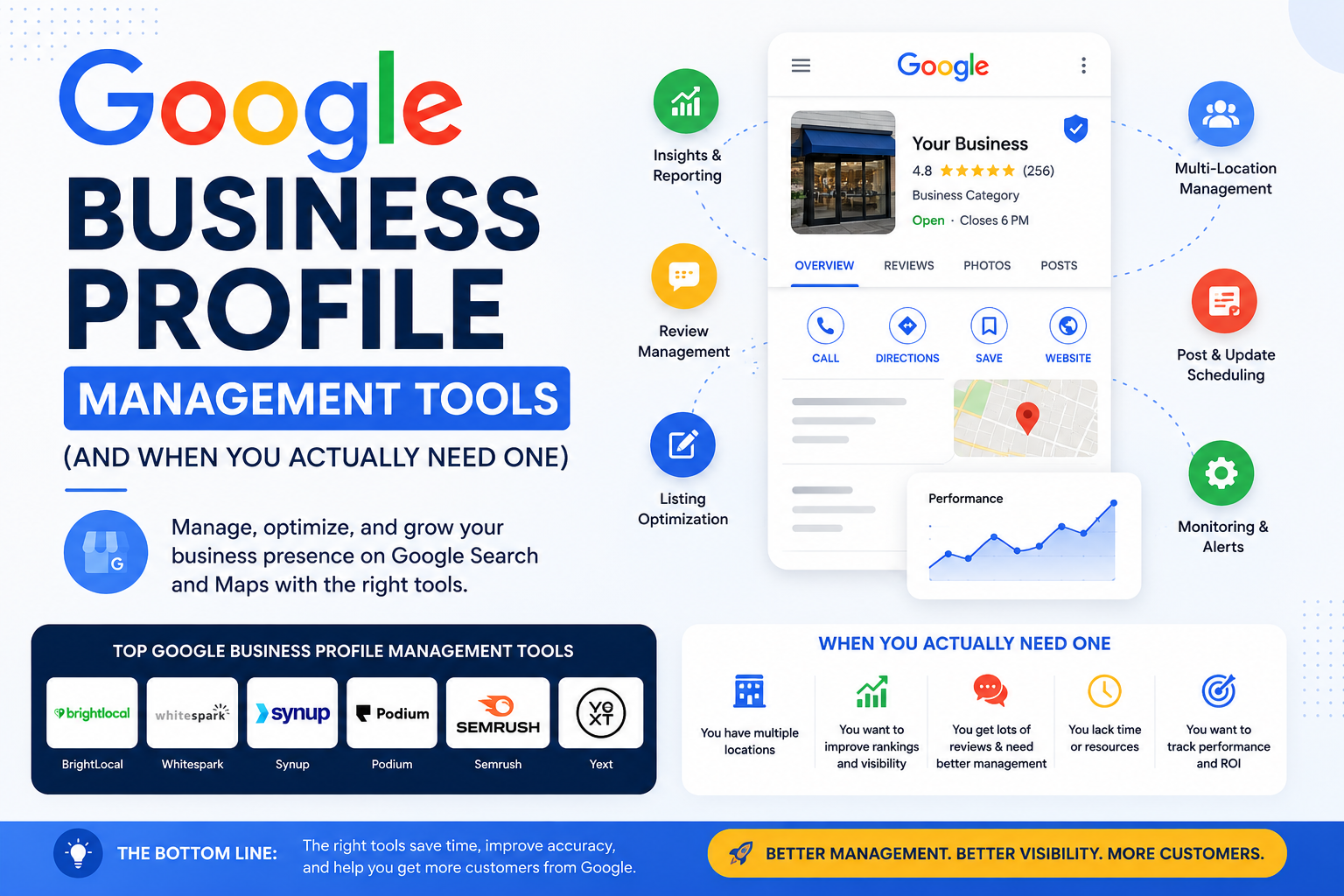
Contents
Google Business Profile management tools exist for one reason: the work does not scale linearly. Running a single profile is a ten-minute-a-week job — set the hours, add some photos, reply to reviews as they arrive. Running 50 is a part-time role. Running 500 across three countries is an operations function with its own tooling, permissions model, and reporting.
The break point catches most teams by surprise. Nothing dramatic happens at location 30; the profiles simply drift. A store changes its Saturday hours and nobody updates Google. A regional manager gets locked out and stops replying to reviews. Three locations show a phone number that was retired two years ago. Individually these are trivial. Collectively they suppress your visibility in the local pack and quietly send customers to competitors who look better maintained.
This guide covers what Google Business Profile management software actually does, which capabilities move the needle for multi-location SEO, how to tell when you have crossed the threshold that justifies buying one, and what to check before you commit.
What Google Business Profile management software does
These platforms sit on top of the Google Business Profile API and give you one dashboard for every location you control, instead of logging into profiles one at a time. The core job is replacing repetitive manual edits with a single action applied across a set of locations.
In practice that means:
- Updating regular and holiday opening hours in bulk.
- Editing descriptions, categories, services, and attributes across a group.
- Uploading photos and video to many profiles at once.
- Publishing Google Posts and offers on a schedule.
- Monitoring and replying to reviews from one inbox.
- Tracking how each location ranks in its own geography.
- Pushing consistent business data out to other directories.
If you manage one or two profiles, none of this is worth paying for. The native Business Profile interface handles a small footprint perfectly well, and a free Google My Business optimizer is usually enough to spot the gaps in a single listing — missing categories, thin descriptions, absent service areas — before you consider anything heavier.
Why the Business Profile API matters
The capability that separates a real management platform from a dashboard skin is API access. Google's own bulk workflows have gatekeeping attached: bulk verification, for example, requires at least ten locations of the same business, and duplicate, suspended, or disabled profiles do not count toward that minimum. Platforms that work through the API can create, verify, and edit at scale within those rules; tools that automate the browser interface tend to break whenever Google changes its front end.
Why multi-location local SEO behaves differently
Local SEO is not national SEO repeated many times. Each location competes in its own result set, against its own rivals, on its own review corpus. A branch in Manchester and a branch in London share a brand and almost nothing else in terms of ranking dynamics.
That has three practical consequences. First, a single keyword report tells you almost nothing — you need visibility measured per location. Second, aggregate review scores hide the problem locations that are actually costing you conversions. Third, the fixes are local: a store that is losing ground usually needs its categories, photos, and review velocity addressed specifically, not a brand-level campaign.
Build the keyword set that reflects this. Instead of one national list, run local keyword research per city or region to surface the "near me", neighbourhood, and service-plus-place phrasings that actually drive local intent, then group them by location so each branch has its own tracked set.
The features that actually matter
Feature lists in this category are long and largely interchangeable on paper. These are the capabilities that change day-to-day workload.
Bulk editing across location groups
The single largest time saver. Holiday hours are the classic case: a chain with 200 locations facing a bank holiday is looking at hours of clicking, or one templated push. Good implementations let you scope a change to a group — a region, a franchise, a store format — rather than forcing all-or-nothing edits.
Centralised review management
Reviews drive both ranking and conversion, and response time is the metric most teams fail on. What you want is a unified inbox across every location, alerts on new or negative reviews, assignment workflows so the right person answers, and AI-assisted drafts that a human approves rather than auto-posts. Templated replies that read like templates do measurable damage, so treat suggestions as a starting point.
Geo-grid local rank tracking
Standard rank tracking reports a single position for a keyword, which is meaningless in local search where results change block by block. Geo-grid tracking samples a keyword from a lattice of coordinates around each location and reports the variation, so you can see the radius where you actually appear. Pair that with a broader keyword rank tracker for your organic location landing pages, and spot-check the live result set with a Google SERP checker when a report looks wrong.
Citation and directory consistency
Your business data does not live only on Google. Apple Maps, Bing Places, TripAdvisor, Foursquare, and dozens of aggregators carry versions of your name, address, and phone number, and conflicting records erode the trust signals that support local ranking. Before you buy a platform to fix this, quantify the problem: run a sample of locations through a local citation checker to see how badly the data has actually drifted.
Roles and access control
Once regional managers, franchisees, and an agency all touch the same profiles, permissions become a real requirement. Role-based access — who can edit hours, who can reply to reviews, who can publish posts — prevents the two failure modes of multi-location management: nobody updating anything, and everybody updating everything.
Reporting that ties to revenue
Profile views and direction requests are useful, but the number that matters is traffic and conversions attributable to local search. Tag the website link, appointment link, and post URLs on your profiles with a UTM builder so Google Business Profile traffic separates cleanly in analytics instead of collapsing into generic organic.
Manual versus platform: a decision table
| Task | 1–5 locations | 5–50 locations | 50+ locations |
|---|---|---|---|
| Hours and holiday updates | Native interface | Native, with a shared calendar | Bulk push via platform |
| Review responses | Native notifications | Shared inbox or platform | Platform with assignment workflows |
| Rank visibility | Spot checks | Per-location tracking | Geo-grid across all locations |
| Citation consistency | Manual audit once a year | Periodic audit plus fixes | Automated sync |
| Photos and posts | Manual upload | Batched manually | Scheduled bulk publishing |
| Access control | Owner only | Location groups | Role-based, audited |
| Verification | Individual | Individual or bulk | Bulk via API |
Where GMBapi.com fits
GMBapi is one of the platforms built specifically for this problem rather than bolted onto a general SEO suite. It positions itself as Google Business Profile management software for multi-location brands, franchises, and agencies, and the published feature set covers bulk editing of services, hours, attributes, and media; review management with AI-assisted responses and sentiment analysis; local keyword and competitor tracking on Google and Maps; and synchronisation out to Apple Maps, Bing, TripAdvisor, Foursquare, and other directories.
The design decision worth noting is the Google-first workflow: business data is maintained in Google Business Profile as the source of truth and then pushed to other networks, rather than each platform holding its own copy. That ordering matters, because most directory inconsistency comes from parallel editing in several systems that never reconcile. Whether it suits you depends on whether Google is genuinely your primary local channel — for most retail, hospitality, and service brands it is.
Treat this as one option in a category, not a recommendation. The evaluation questions below apply to any vendor here.
How to evaluate a platform before you buy
- Audit what you have. Export your full location list and check completeness, category accuracy, and duplicate profiles. You cannot judge a tool's value until you know how much drift exists.
- Quantify the manual hours. Time one holiday-hours update and one week of review responses, then multiply by your location count. That number is your budget ceiling.
- Confirm API-based bulk operations. Ask specifically whether edits go through the Business Profile API and how the vendor handles Google's verification requirements for your footprint.
- Test review workflows with real volume. Import a month of actual reviews during a trial and check whether routing, assignment, and reply approval hold up.
- Check the geo-grid methodology. Ask about grid size, sampling frequency, and whether historical data is retained. Rank tracking you cannot compare over time is decoration.
- Verify directory coverage against your markets. A platform that syncs to twenty US directories is not much use if your locations are in Germany.
- Test the export. Confirm you can get your location data, review history, and ranking history out in a usable format before you depend on the system.
Do not neglect the location pages on your own site
A managed Business Profile still points customers somewhere. Location landing pages should carry LocalBusiness structured data with matching name, address, phone, and hours — build it with a schema markup generator and confirm it parses with a structured data validator before you roll it across every page. Since almost all local search is mobile, run the templates through a mobile-friendly test as well; a profile that ranks and then lands people on a slow, cramped page wastes the visibility you paid for.
Review volume is also easier to influence offline than most teams assume. A printed prompt at the counter linking to your review form works, and generating a per-location code with a QR generator lets you attribute which sites are actually producing reviews.
Frequently asked questions
How many locations before I need Google Business Profile management software?
There is no fixed number, but the practical threshold is usually somewhere between five and twenty. Below five, the native interface is faster than any dashboard. Above twenty, the time spent on repetitive edits and review responses generally exceeds the cost of a platform. The honest test is to measure your current manual hours rather than guess.
What is geo-grid rank tracking and why does it matter?
Geo-grid tracking checks a keyword from many coordinates around a location instead of one, producing a map of where you rank rather than a single number. It matters because local results shift over short distances, so a location can look strong at its own address and be invisible three miles away where most of its customers search from.
Can I bulk verify all my Google Business Profiles at once?
Only if you meet Google's criteria. Bulk verification requires at least ten locations belonging to the same business, and duplicate, suspended, or disabled profiles do not count toward that minimum. Your submission also has to include every profile you manage, and agencies handling several unrelated businesses in one account are not eligible.
Do these tools improve local rankings directly?
Not by themselves. They improve the inputs that rankings depend on — accurate hours and categories, complete profiles, fresh photos, faster review responses, consistent data across directories. The ranking gain comes from doing those things consistently at a scale where manual work fails, not from the software itself.
Should I use AI to reply to reviews?
As a drafting aid, yes; as an autopilot, no. AI-assisted suggestions cut response time substantially, but reviewers and future customers notice generic replies, and a mishandled complaint answered by a template does more harm than a slow human reply. Keep a person in the approval loop, especially for negative reviews.
What is the biggest mistake multi-location brands make?
Letting profile data be edited in several systems at once. When the platform, the local manager, and Google itself each hold a slightly different version of a location's hours or phone number, the records diverge permanently. Pick one source of truth and push outward from it.
Getting started
Before you shortlist vendors, spend a week on diagnostics: pull your full location inventory, check profile completeness and category accuracy, sample your citation consistency, and time the manual work you are currently absorbing. That audit tells you whether you have a tooling problem or a process problem — and quite often the answer at 15 locations is process, while at 150 it is unambiguously tooling. Choose based on what your footprint actually demands, not on the longest feature list you can find.
The UrwaTools Editorial Team delivers clear, practical, and trustworthy content designed to help users solve problems efficiently. Our articles focus on accurac...